 NavVoice

Frequently asked questions
What is Hindi TTS?
Hindi TTS converts text into spoken audio using NavVoice’s cloud API. It supports Hindi alongside 22 other languages, allowing your automotive team to generate clear navigation instructions. The service uses standard TTS models like tts-1, ensuring consistent quality for in-car systems without requiring complex infrastructure.
How does Hindi TTS differ from English TTS?
The core engine is identical, but Hindi requires explicit language setting. Latin-script text defaults to English, so you must specify the ISO code for Hindi to ensure correct pronunciation. Both languages use the same 8 voice presets and support formats like mp3 and wav, with identical pricing per character.
Why is clarity important for navigation audio?
Clear audio ensures drivers quickly understand route instructions without distraction. NavVoice provides crisp voices like aria or felix, optimized for clarity. With a typical speed of roughly 25 characters per second, your navigation prompts remain natural and easy to follow, even in noisy cabin environments during active driving.
Can I use the same voice for all languages?
Yes, any of the 8 voice presets can speak any of the 23 supported languages. You can assign a single voice, such as nova for upbeat directions, to handle Hindi, English, or Arabic. This simplifies your audio asset management while maintaining a consistent brand identity across all navigation regions.
How do I ensure accurate Hindi pronunciation?
Explicitly set the language parameter to the Hindi ISO code in your API request. Without this, the system may guess the language incorrectly. Ensure your input text is within the 4096 character limit per request to maintain processing efficiency and accurate synthesis for your navigation route instructions.
What is the best voice for directions?
Atlas offers a neutral, news-like tone ideal for clear, authoritative instructions. Aria provides a warm, narrator style suitable for navigation. Both voices support all 23 languages, including Hindi and Arabic, with equal clarity. Choose based on your preferred brand personality, as both handle multilingual routes effectively without performance differences.
How do I split long text for audio generation?
Split your navigation script into segments of up to 4096 characters each. Send each segment as a separate POST request to the speech endpoint. Then, join the resulting audio files in your application. This ensures reliable processing and avoids hitting input limits while maintaining coherent route guidance.
Can I use MP3 for navigation audio?
Yes, MP3 is a supported response format alongside wav, opus, flac, and pcm. MP3 files are efficient for storage and transmission in automotive systems. You can specify this format in your API request body, ensuring compatibility with most in-car infotainment players and navigation display units.
Is the API suitable for large fleets?
Yes, the API supports high-volume generation with a rate limit of 60 requests per minute per key. For larger fleets, you can issue new keys to distribute load, as each account holds one active key. The pricing is volume-based at $10 per million characters, making it scalable for extensive navigation audio production without monthly plan constraints.
How do I handle rate limits?
The limit is 60 requests per minute per API key. If you exceed this, requests may queue or fail. You can generate a new API key from your dashboard to get a fresh quota, as each account holds one active key. This allows your automotive team to parallelize audio generation for different vehicle models or regions effectively.
What happens if the audio generation fails?
If synthesis fails, the charge is returned in full. You are not billed for failed requests. This ensures cost efficiency for your navigation audio pipeline. You can retry the request or adjust parameters like speed or voice to resolve issues without incurring additional charges for the failed attempt.
Do I need to set the language parameter explicitly?
Yes, for Hindi, you should explicitly set the language parameter. Latin-script text defaults to English, so without explicit setting, Hindi text might be mispronounced. Specifying the ISO code ensures accurate synthesis. This is crucial for navigation systems where precise pronunciation of street names and directions is required.
Can I generate audio in real-time?
No, the API does not support streaming or WebSocket connections. Audio is generated synchronously and returned as a file. Typical speed is roughly real-time for long texts, but short phrases may take a few seconds. Requests are processed sequentially, so load may cause slight delays in generation.
How do I troubleshoot language detection issues?
Always set the language parameter explicitly rather than relying on detection. If Hindi text defaults to English pronunciation, specify the ISO code. Ensure your input text is clean and within the 4096 character limit. Check that the voice selected supports the target language, though all 8 voices support all 23 languages.
Understanding Hindi TTS Requirements

Generating clear Hindi audio for car navigation requires balancing linguistic accuracy with auditory clarity. Drivers in noisy cabin environments need crisp instructions that are instantly recognizable, regardless of ambient noise or speed. The API supports Hindi natively, ensuring that directional cues and route updates are delivered with precision suitable for real-time driving contexts.
Clarity for Driver Instructions
Navigation audio must prioritize intelligibility over stylistic flair. Short, direct phrases reduce cognitive load for the driver. The system handles Hindi text efficiently, producing audio that remains distinct even at higher playback volumes typical in moving vehicles.
- Prioritize short, imperative phrases for turn-by-turn directions
- Ensure audio remains distinct at high cabin volumes
- Minimize background noise sensitivity in generated files
Language Detection vs Explicit
While the API can guess the language from Latin script, Hindi uses its own script. If you send Devanagari text, the system identifies it automatically. However, for mixed-language routes or Latin-script transliterations, explicitly setting the language parameter to 'hi' ensures correct pronunciation and avoids defaulting to English or other unintended languages.
- Use Devanagari script for automatic Hindi detection
- Set
language: 'hi'for Latin transliterations - Prevent default English fallback in mixed contexts
Accent and Pronunciation
Choosing the Right Voice

Selecting the correct voice preset ensures your navigation instructions are both clear and engaging for drivers. Each voice offers a distinct character, allowing you to tailor the audio experience to specific use cases, from calm narrations to energetic updates.
With eight presets available, you can match the tone of your brand while maintaining high intelligibility across Hindi and 22 other languages. All voices are based on licensed recordings and carry an inaudible synthetic watermark.
Atlas for Neutral Directions
Atlas delivers a neutral, news-style tone that is ideal for standard turn-by-turn directions. Its balanced delivery ensures clarity without emotional bias, making it perfect for straightforward navigation commands where the driver needs clear, unobtrusive guidance.
This voice works well for consistent, repetitive instructions such as 'Turn left in 200 meters' or 'Highway exit ahead,' providing a reliable auditory cue without distracting from the driving experience.
- Neutral, news-style delivery
- Ideal for standard turn-by-turn directions
- Consistent and unobtrusive
Aria for Warm Narration
Aria offers a warm, clear narrator style that adds a touch of personality to your navigation system. It is particularly effective for longer route descriptions or scenic route highlights where a more engaging tone is desired.
Use Aria to transform mundane directions into a pleasant listening experience, especially during long drives or when providing detailed information about points of interest along the route.
- Warm, clear narrator style
- Adds personality to navigation
- Ideal for route descriptions
Felix for Energetic Updates
Felix brings an energetic, promo-style energy to your audio outputs. This voice is perfect for time-sensitive updates, traffic alerts, or promotional announcements that require a sense of urgency and enthusiasm.
Deploy Felix for real-time traffic updates, weather warnings, or special offers from nearby businesses, ensuring drivers pay attention with a dynamic and lively voice.
- Energetic, promo-style delivery
- Ideal for traffic alerts and updates
- Dynamic and lively tone
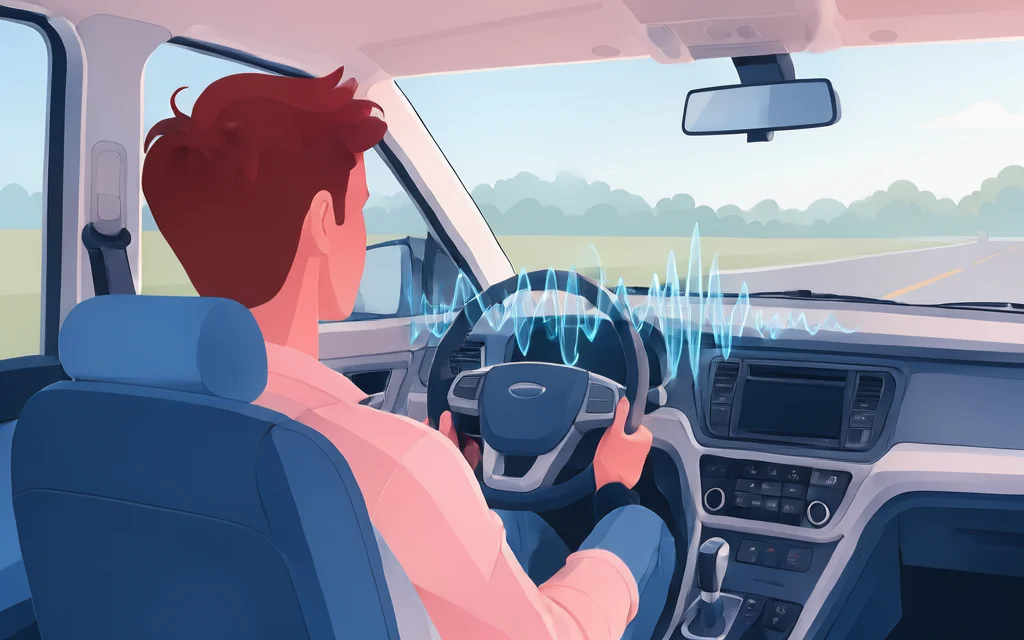
Setting Up the API Request

To generate Hindi navigation audio, structure your POST request to https://api.play3666.com/v1/audio/speech with a JSON body. Include the text, voice, and model parameters. Authentication requires your Bearer token in the header.
Explicitly set the language field to hi to prevent English default detection. Choose tts-1 or tts-1-hd for the engine. This ensures crisp instructions for drivers in Hindi.
JSON Body Structure
Send a POST request with input (text up to 4096 chars), voice (e.g., atlas), and model (tts-1 or tts-1-hd). Include response_format (mp3, opus, etc.) and speed (0.25–4.0).
Including the Language Code
Always specify language: "hi" for Hindi text. Without this, Latin script defaults to English. This prevents mispronunciation in navigation instructions.
Specifying the Model
Use tts-1 for standard quality or tts-1-hd for higher fidelity. Both use the same engine and pricing. Select based on your audio clarity needs for in-car systems.
Testing with Curl

Testing your Hindi navigation commands locally is the fastest way to verify audio quality before deployment. Use curl to send a direct POST request to the speech endpoint, ensuring your API key and text payload are correctly formatted.
Basic Command
Start by sending a simple English test to confirm connectivity. Replace YOUR_API_KEY with your actual key from the dashboard.
- Endpoint:
https://api.play3666.com/v1/audio/speech - Method:
POST - Header:
Authorization: Bearer YOUR_API_KEY
Sending Hindi Text
Include the Hindi text in the input field and explicitly set language to hi to prevent detection errors. Use a clear voice like atlas for neutral directions or aria for warmer instructions.
Saving the Audio File
Pipe the response directly into a file using > audio.mp3. This allows immediate playback testing in your car’s infotainment system or media player.
Integrating with OpenAI SDK

NavVoice’s API mirrors the OpenAI speech endpoint structure, allowing teams to leverage existing OpenAI SDK clients with minimal configuration. By simply adjusting the base_url to https://api.play3666.com/v1, you can continue using familiar libraries like openai-python without rewriting your integration logic.
This approach simplifies onboarding for automotive teams already accustomed to OpenAI’s ecosystem, ensuring consistent request shapes for model, input, voice, and language parameters while maintaining NavVoice’s specific pricing and rate limit behaviors.
Configuring base_url
Update your SDK client’s base URL to point to NavVoice’s API endpoint. This redirects all standard speech requests to NavVoice’s infrastructure while preserving the JSON body structure expected by OpenAI-compatible clients.
Ensure your API key is prefixed with tts- and passed via the Authorization: Bearer header. No other header modifications are required for standard text-to-speech operations.
- Set
base_urltohttps://api.play3666.com/v1 - Use standard
Authorization: Bearer tts-...header - No additional headers needed for basic synthesis
Code Example
Initialize the OpenAI client with the NavVoice base URL and your API key. Pass the Hindi text, specify hindi as the language code to avoid detection errors, and select a voice like atlas for neutral navigation directions.
The SDK handles the HTTP POST request to /v1/audio/speech, returning the audio file bytes directly to your application for immediate playback in the infotainment system.
- client = OpenAI(base_url="https://api.play3666.com/v1", api_key="tts-...")
- response = client.audio.speech.create(model="tts-1", voice="atlas", input="Turn left", language="hi", response_format="mp3")
- Save or stream
response.contentto your vehicle's audio buffer
Handling Responses
The SDK returns the audio binary data directly. For large navigation scripts, ensure your code handles potential 429 rate limit errors gracefully, as NavVoice limits requests to 60 per minute per key. Implement exponential backoff if queuing occurs.
If the request fails, check the character count against the 4096-character limit. Failed requests are free, so retry logic can be applied without financial penalty, though success is not guaranteed if the queue is full.
Handling Large Text Inputs

Navigation instructions often exceed the 4096-character limit per API call. Splitting long routes into manageable chunks ensures reliable synthesis without truncation.
Our engine processes these parts sequentially. You must join the resulting audio files to create a seamless driving experience for your users.
Splitting Text into Parts
Break your input text into segments of up to 4096 characters. Each segment becomes a separate POST request to /v1/audio/speech. This prevents payload errors and keeps processing times reasonable for large datasets.
- Max 4096 characters per request
- Split by sentence or route segment
- Maintain logical sequence
Joining Audio Files
Once you receive audio files for each part, concatenate them in order. The API does not handle multi-part merging, so your implementation must stitch the MP3 or WAV files together before playback in the vehicle.
Managing Character Limits
Spaces and punctuation count toward the limit. Ensure your text editor or script accurately counts characters before sending. Exceeding the limit will result in a request error, so always truncate or split precisely.
Optimizing for Fleet Usage

NavVoice’s 60 requests-per-minute limit per key requires careful pacing for large automotive fleets generating navigation prompts. Without top-ups, new accounts start with a stricter 10 requests-per-minute cap, which can bottleneck high-volume deployment scenarios.
Batch Requests
Since requests process sequentially, splitting large route texts into 4096-character chunks and joining the resulting audio files ensures consistent playback. This prevents timeout errors and maintains audio continuity for complex driving instructions.
- Split text into ≤4096 character segments
- Join generated audio files sequentially
- Maintain driver comprehension across segments
Monitoring Rate Limits
Track your usage against the 60 requests/minute threshold to avoid queuing delays. Under load, requests wait in line, so proactive monitoring prevents unexpected pauses in navigation audio generation.
- Limit: 60 requests/minute per key
- Initial cap: 10 requests/minute
- Queuing causes generation delays
Error Handling
Failed requests incur no charge, but you must handle HTTP errors to retry or alert your fleet management system. Implement exponential backoff for transient errors to ensure all navigation prompts are delivered without redundant costs.
- Failed requests are free
- Implement retry logic with backoff
- Alert systems for persistent failures

Audio Format Selection

Selecting the right audio format balances clarity, file size, and compatibility for in-car systems. Our API supports MP3, WAV, OPUS, FLAC, and PCM, allowing you to choose based on your specific navigation infrastructure needs.
MP3 vs Opus
MP3 is universally supported and offers a good balance of quality and compression. OPUS provides superior compression at lower bitrates, ideal for bandwidth-constrained environments, though it may require specific decoder support in older navigation units.
- MP3: Broad compatibility, moderate file size.
- OPUS: High efficiency, smaller files, modern support.
File Size Considerations
Larger files like WAV and FLAC ensure pristine audio quality but consume more storage and bandwidth. MP3 and OPUS significantly reduce size, which is crucial for large navigation datasets or limited connectivity scenarios.
- WAV/FLAC: Highest quality, larger size.
- MP3/OPUS: Smaller size, good quality.
Playback Compatibility
Ensure your in-car system supports the chosen format. MP3 is the safest bet for maximum compatibility. Test OPUS or FLAC on target devices to confirm decoder support before fleet-wide deployment.
- Test formats on target hardware.
- MP3 for maximum compatibility.
Troubleshooting Common Issues

Even with robust TTS technology, automotive navigation systems occasionally encounter common hurdles during Hindi voice generation. Understanding these pitfalls helps teams maintain smooth, uninterrupted audio delivery for their drivers.
Language Detection Failures
NavVoice guesses language from script if language is omitted, but Latin-script Hindi may default to English. Always explicitly set the language field to hi for reliable results. Without this, the engine might produce an English accent on Hindi text.
- Set
language: "hi"for Hindi text, even if it uses Latin script. - Verify ISO codes match supported languages; Hindi is supported, but Vietnamese is not.
Audio Generation Delays
Requests process sequentially, meaning under load, synthesis may wait in a queue. Short phrases take a few seconds, while longer texts generate at roughly real-time speed (25 characters per second). High-volume fleets should monitor queue times during peak usage.
- Requests are processed one after another; queues form during high demand.
- Expect slight delays if sending many concurrent requests per minute.
Character Count Errors
Each request accepts up to 4,096 characters. Exceeding this limit causes the synthesis to fail. Ensure your input text, including spaces and punctuation, stays within this boundary. Split longer navigation instructions into smaller parts before sending.
- Limit input text to 4,096 characters per request.
- Count spaces and punctuation toward the total character limit.
Best Practices for Navigation Audio

Navigation audio must be clear and instantly understandable for drivers. Short, concise instructions reduce cognitive load and ensure safety. Avoid complex sentences that might confuse users while driving.
Consistent voice tone helps drivers recognize instructions quickly. Use the same voice for all directions to create a familiar experience. Regular updates keep your navigation system current with new routes and changes.
Short and Concise Text
Keep instructions under 4096 characters per request. Use simple language for better clarity.
Split long texts into smaller parts if needed. Join audio files for seamless playback.
- Use short, direct sentences.
- Avoid jargon or complex terms.
Consistent Voice Tone
Stick to one voice for all navigation prompts. This builds trust and recognition.
Ensure the voice matches the brand’s tone. Use Aria for warm narration or Felix for energetic updates.
- Choose a voice that fits your brand.
- Maintain consistency across all languages.
Regular Updates
Update your navigation audio regularly to reflect new routes. This ensures accuracy and relevance.
Monitor user feedback to improve voice quality. Make adjustments as needed for better user experience.
- Schedule regular audio updates.
- Keep voice libraries up-to-date.
Security and Data Privacy

NavVoice prioritizes your fleet's operational integrity by keeping input text strictly for audio synthesis without using it for model training. Generated audio is returned directly in the response and not stored, ensuring your navigation scripts remain confidential.
For added authenticity, every synthetic file carries an inaudible watermark identifying it as machine-generated speech, which is valuable for compliance and content verification in automotive infotainment systems.
API Key Management
Maintain security by issuing a new API key anytime via your dashboard. When you do, the previous key stops working immediately, ensuring only your current fleet systems retain access.
Each account holds one active key, simplifying access control for large automotive teams without complex permission layers.
- One active key per account
- Instant invalidation of old keys
- Secure Bearer token authentication
No Data Training
Your navigation instructions and route data are used solely to produce the audio file. We do not use your input text to train or improve our underlying TTS models, keeping your proprietary route data private.
Request metadata like time and character count is retained only for billing purposes, not for data analysis.
- Input text not used for training
- Audio not stored post-response
- Metadata kept for billing only
Inaudible Watermarking
Every generated audio file includes an inaudible watermark marking it as synthetic speech. This ensures clear distinction between human-recorded and AI-generated navigation cues.
This feature aids in content verification and transparency for end-users in your infotainment system.
- Inaudible synthetic marker
- No visual or audible artifacts
- Consistent across all formats

Support and Contact

NavVoice provides straightforward support via email for automotive teams managing large-scale navigation audio generation. We handle inquiries regarding API integration, character billing, and voice selection without the complexity of phone queues or live chat wait times.
Email Support
Send your questions to [email protected]. Our team reviews all requests and responds with specific technical guidance or billing clarifications. There is no automated phone tree to navigate, ensuring your issue reaches a human expert directly.
Documentation Links
The /docs/ endpoint provides the definitive reference for the speech API, including all request fields, response formats, and error codes. Use the /get-api-key/ page to manage your API keys and view real-time usage statistics.
Community Resources
Explore the /about/ page to understand our positioning within the automotive industry. While we do not host a dedicated forum, developers can reference the standard OpenAI SDK patterns adapted for our base_url to find common integration solutions.
Listen to the 8 voices
Each sample below was generated by this API from the same sentence. Our navigation system ensures precise routing for every vehicle in the fleet.


23 languages
Any voice speaks any of these languages.
Sources and further reading
- Wikipedia
- LibriVox public-domain audiobooks
- Creative Commons Attribution 4.0
- OpenAI API reference: create speech
- TRON developer hub: TRC-20
- Python documentation
- IETF RFC 7845: Ogg Opus
- W3C WAI: making audio and video accessible
- LibriTTS-R paper (arXiv 2305.18802)
- FFmpeg documentation
- LibriTTS-R corpus (OpenSLR 141)
- MDN: Web Speech API